CampOffice
Menu

The camp office, from first application to last bus home.

Applications, acceptances, bunks, payments, forms and messages home, in one place, for Jewish overnight and day camps. At every point in the year, CampOffice puts the next job in front of you.

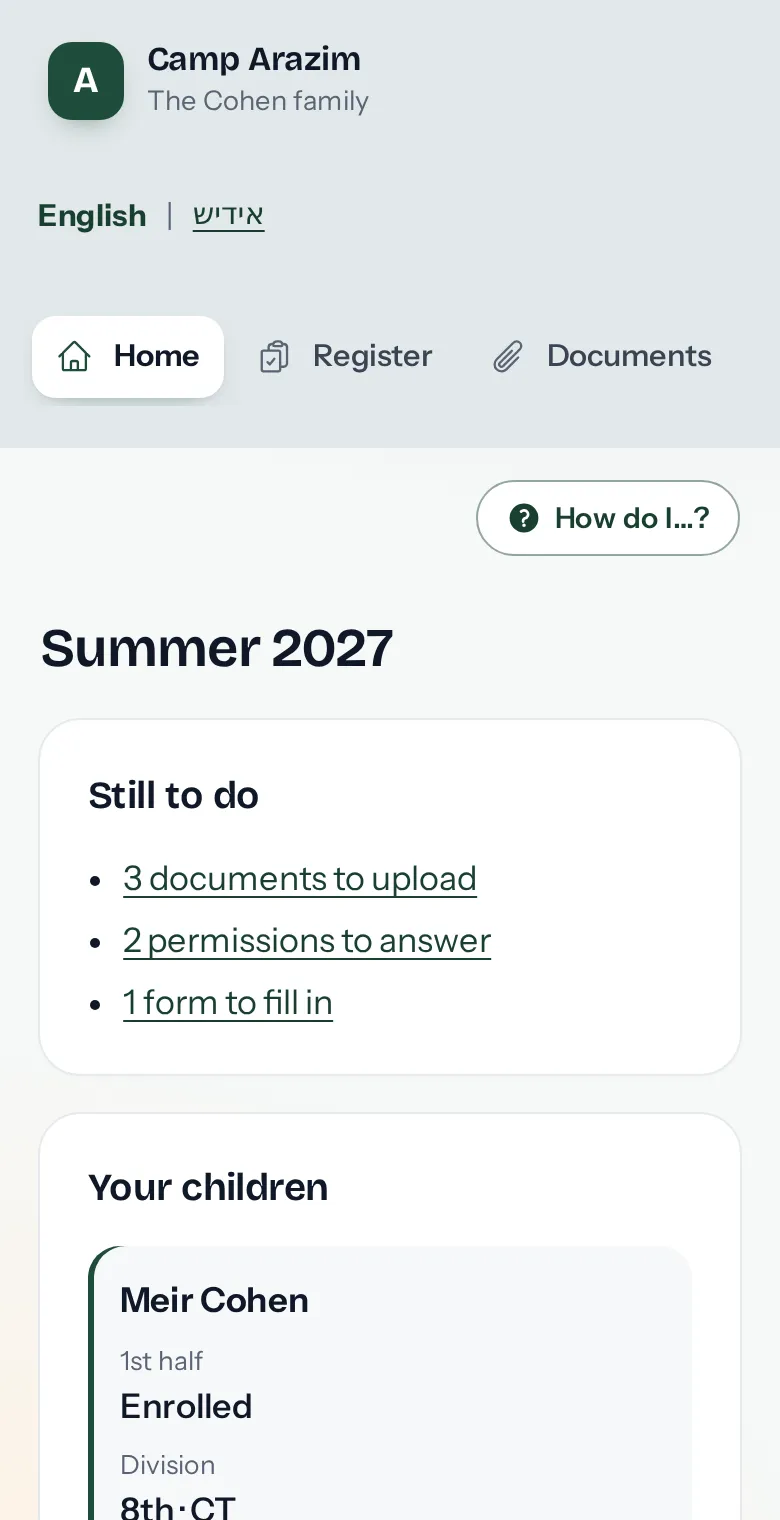
A sample camp with made-up families. Look around and click anything; nothing is really sent. You can also apply as a new family, the way parents start from a camp's own website.

Try it free for 14 days, no card needed.

A painting of boys at summer camp in yarmulkes and tzitzis: two learning together at a picnic table, two in a canoe on the lake, and a baseball game by the bunks.

What changes in your office

Less time on paper, spreadsheets and phone tag, and a clear list of what still needs doing.

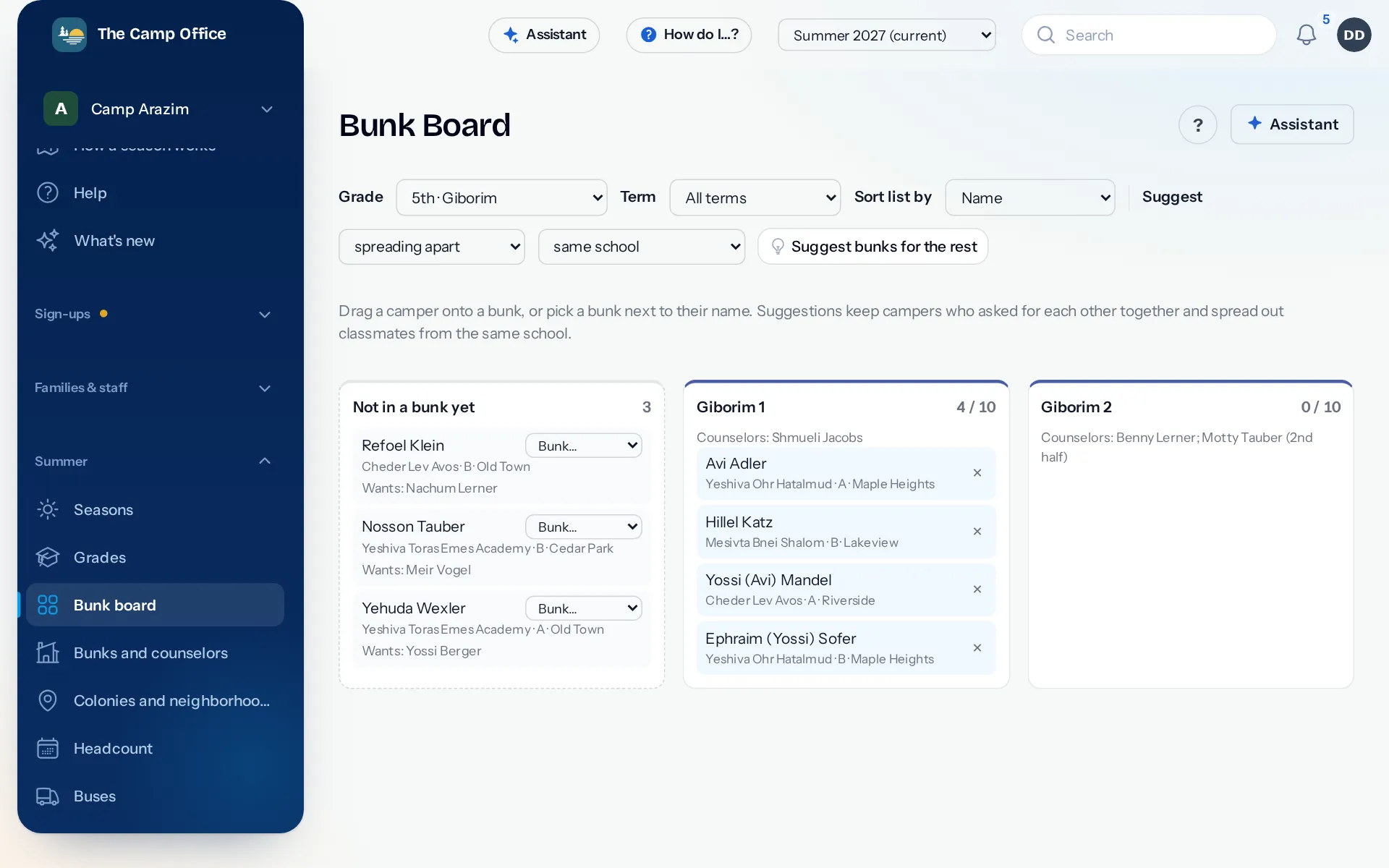
The bunk board for one grade: campers not in a bunk yet with the friend each asked for, two bunks with their counselors and beds filled, and a button to suggest bunks for the rest.

The real bunk board, from a sample camp with made-up families.

  • Parents apply online, once

    Every family gets its own page, with no password to forget. Returning campers come up with last year's details filled in and moved up a grade, so parents only fix what changed.

    How registration works
  • Accept or decline in a few clicks

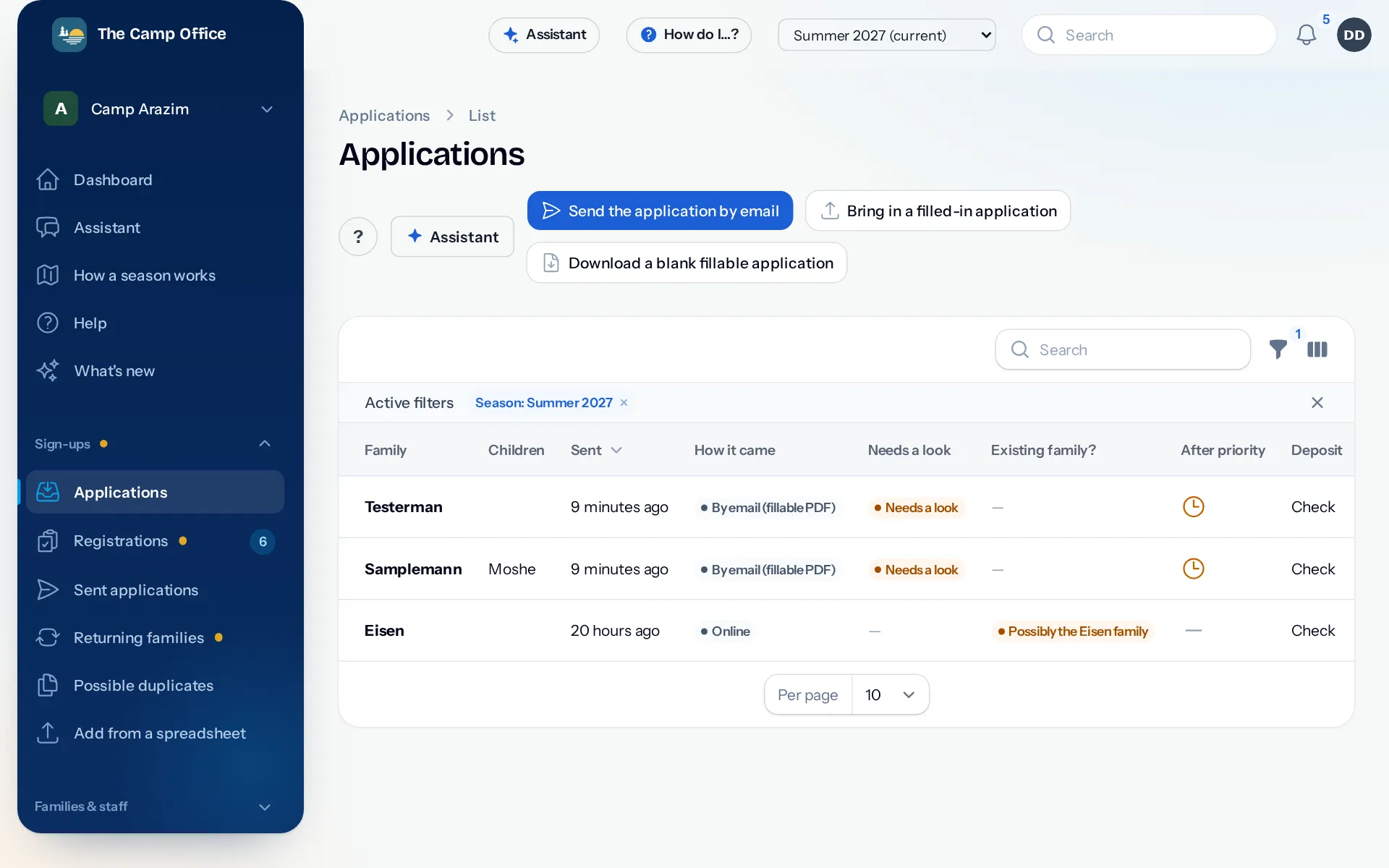
    New applications wait in one list with everything the family sent. Accept, wait-list or decline, and CampOffice prepares your letter to the family for you to send.

    More about applications
  • Bunks without the whiteboard

    From Nursery to Beis Medrash, with your own names for each grade. Drag a camper into a bunk; bunkmate requests sit next to each name, and you can see which bunks still have room.

    Bunks, buses and staff
  • Know who still owes, and which forms are missing

    Card, bank, Zelle, checks and cash all land on the family's balance. Medical forms and permission slips are checked off per camper, so you remind only the families who haven't sent them.

    Billing and payments
  • One message reaches every parent

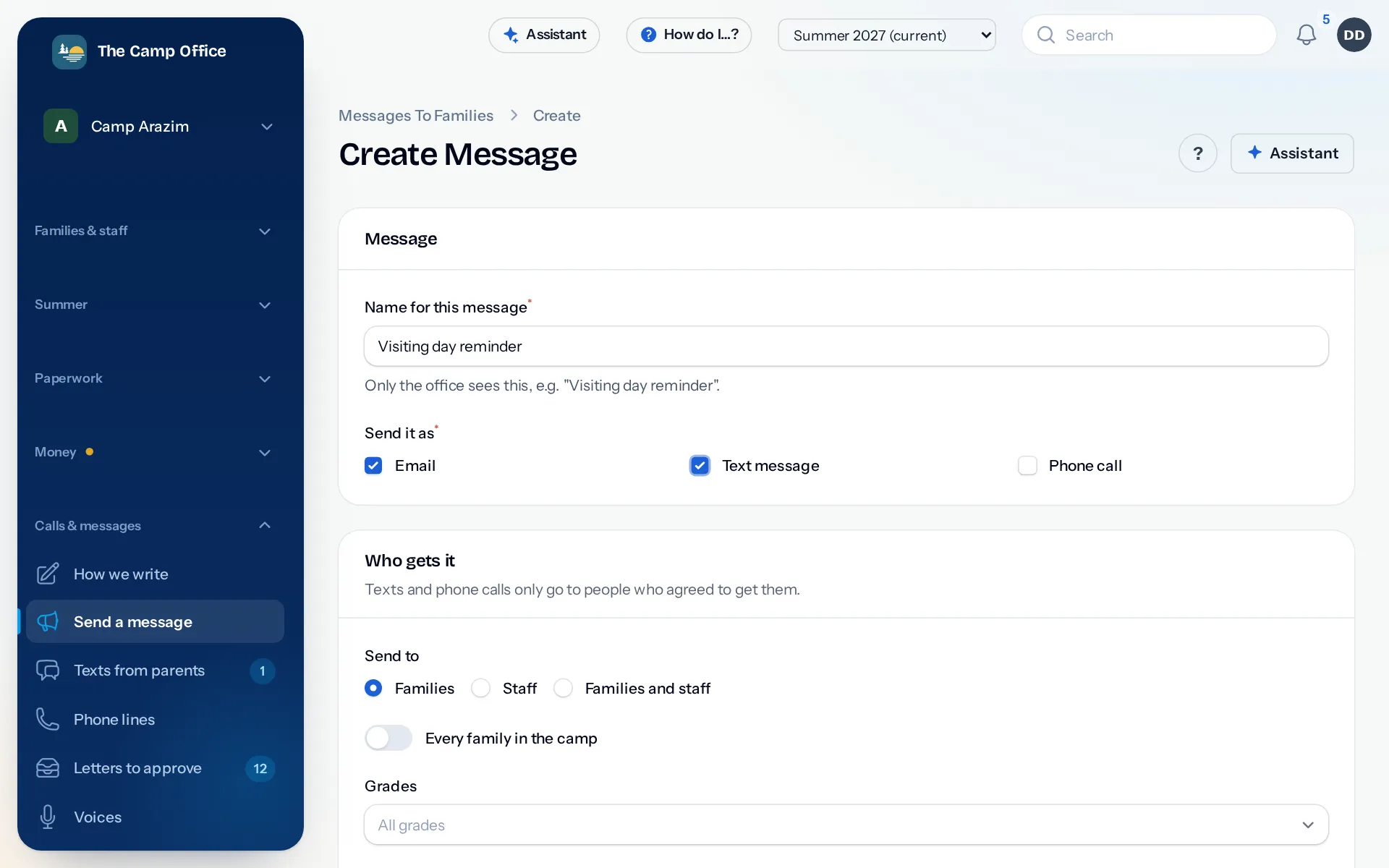
    Send the packing list or the bus times by email, text or phone call. Someone in the office approves every message, and texts and calls only go to parents who said yes.

    Messages, calls and the hotline
  • Your books stay in step

    Invoices and payments flow into QuickBooks Online, Xero or QuickBooks Desktop, so your bookkeeper isn't typing everything twice. Nothing is written to your books until you turn it on.

    QuickBooks, Xero and Zelle

CampOffice knows what time of year it is

A camp office does four different jobs over a year. CampOffice follows along: the dashboard puts the work of the moment up front, and everything else stays one click away.

  1. An autumn day at home: a camper smiles over the letter about next summer, dreaming of swimming and ball games at camp.

    Before registration

    After Sukkos

    Set up the summer: dates, the grades you take and their names, bunks and prices. Build your application with your own questions, and see which of last year's families haven't signed up yet.

  2. Snow outside the kitchen window: two girls cheer at the laptop with their mother as they find out they're going to camp.

    Registration

    Winter

    Send families the link. Applications come in with forms signed and deposits paid. Accept or decline, keep a wait-list, and watch each grade fill up.

  3. Packing day: a camper waves with her duffel bag while her sister folds clothes into the camp trunk.

    Getting ready for camp

    Spring

    Make the bunks, collect what's still owed and chase the missing medical forms. Send the packing list and the bus times to every parent at once.

  4. Three campers toasting marshmallows at the campfire by the lake at sunset.

    Camp

    Summer

    See who's here today. Parents call one camp hotline for the daily update and visiting day. The nurse logs every infirmary visit, and the office sends news home in minutes.

Tell it what you need

Type “text the Rishonim parents that the bus leaves at nine thirty Sunday” or “bill the Klein family fifty dollars for canteen,” and the office assistant prepares it. You see exactly what will happen and approve it before anything is sent or billed.

How the office assistant works

Two ways to have it

Own your copy outright, or let us run all of it for you.

Own it

$5,000 once

Your camp's own copy, built around the way you work, and yours to keep.

  • Every part of CampOffice: applications, acceptances, bunks, billing, forms, messages home, the camp hotline and the infirmary log
  • Made to fit your camp. Tell us the features you want and we build them in as part of the price.
  • Something much bigger in mind? We can still build it, at a price we agree on first.
  • Set up with you, with last year's families brought in
  • Runs on accounts in your camp's name. You pay those services directly, at their own prices.

We run it for you

$1,600 a year

Everything set up, kept running and looked after by us. Your office just uses it.

  • Every part of CampOffice, kept up to date
  • Your camp phone number and hotline, texts, emails and phone calls home, all set up and handled through us
  • Card and bank payments from parents set up and handled through us
  • Each new summer set up with you: dates, grades, prices and the application
  • A real person to call, text or email when the office needs help
  • Hosting, backups and updates taken care of

More about the two options

Questions directors ask

Do parents need to make an account?

No. Each family gets its own private link from the office. They open it to apply, update their phone numbers, choose how they hear from camp, send forms and see their invoices.

Can parents pay by card?

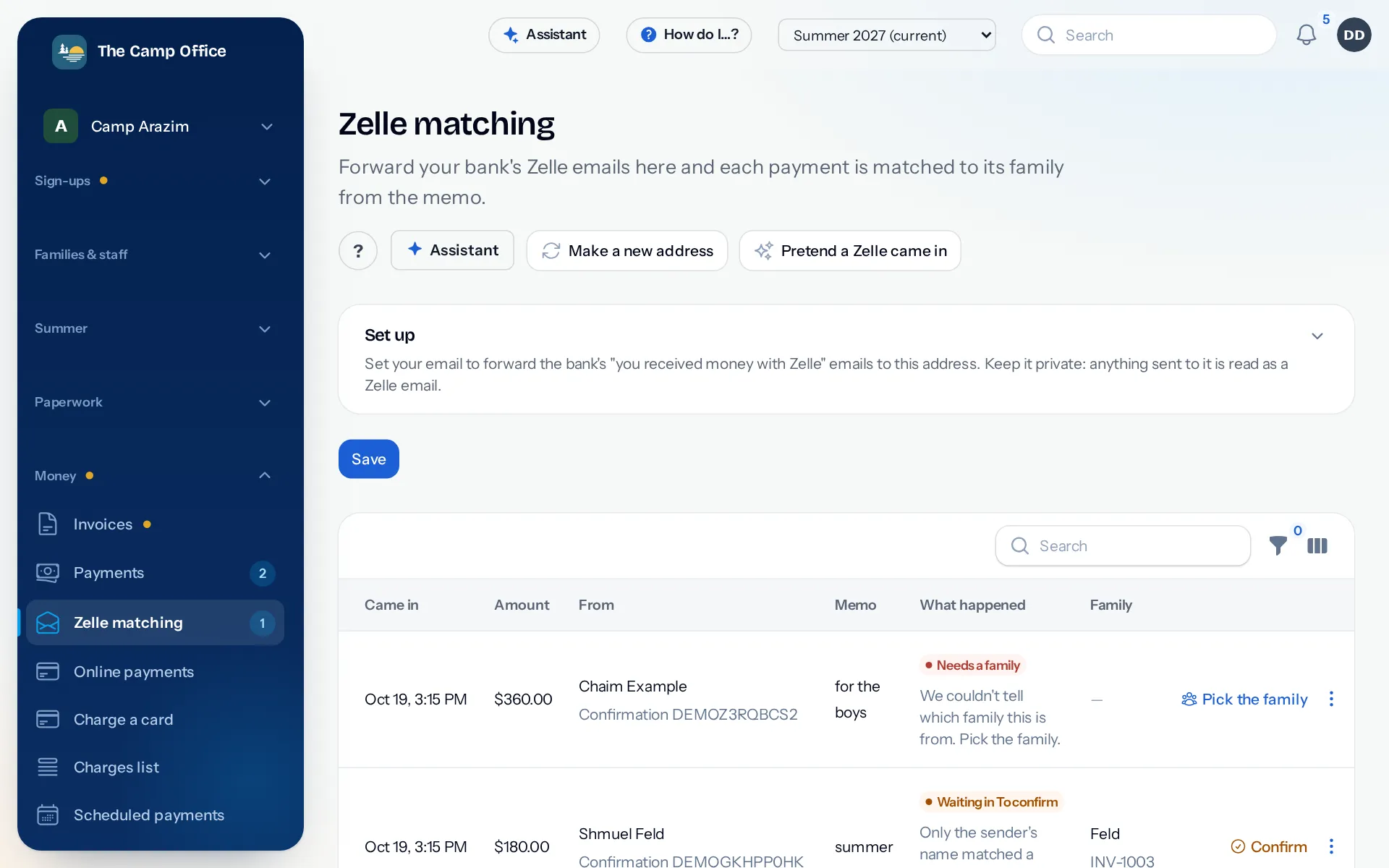
Yes, if you want them to. Families pay by card or from their bank account on their own page, in full or in monthly payments. Checks, cash and Zelle still work too: you record them, and Zelle can be matched to the family from your bank's emails.

Can we keep our bookkeeping the way it is?

Yes. CampOffice works with QuickBooks Online, Xero and QuickBooks Desktop. You decide when it starts sending invoices and payments to your books, and you can try it first without writing anything.

Will parents get texts or calls they didn't ask for?

No. Texts and calls only go to parents who checked the box, never late at night or early in the morning, and only after someone in your office approves the message. A parent can reply STOP at any time.

We run a day camp, or a girls' camp. Does it fit?

Yes. CampOffice works for overnight and day camps, for boys and for girls. You set up your own grades, division names, terms and bunks.

Can you add something our camp needs?

Yes. With Own it, tell us the features you want and we build them in as part of the price. If it's a much bigger project, we can still build it, at a price we agree on before we start.

What's the difference between the two options?

With Own it, you pay once and your camp has its own copy, on accounts in your camp's name. With We run it for you, you pay yearly and we look after everything: the phone line, texts, emails, card payments, updates and help when you need it.

How long does it take to get started?

Send us last year's list of families and campers, and we'll bring it in with you. Most of the setup is choosing your grades, terms and prices for the coming summer.

More questions directors ask

Tell us about your camp

Your camp's name and about how many campers you have is enough. We'll get back to you to set up a time to talk.

Talk to us

Or look around first: see the office, see what a parent sees, or apply as a new family.