
Applications that come in complete
Parents apply on their phone or computer with no account to make. Returning campers come back filled in and a grade up, so parents only fix what changed.
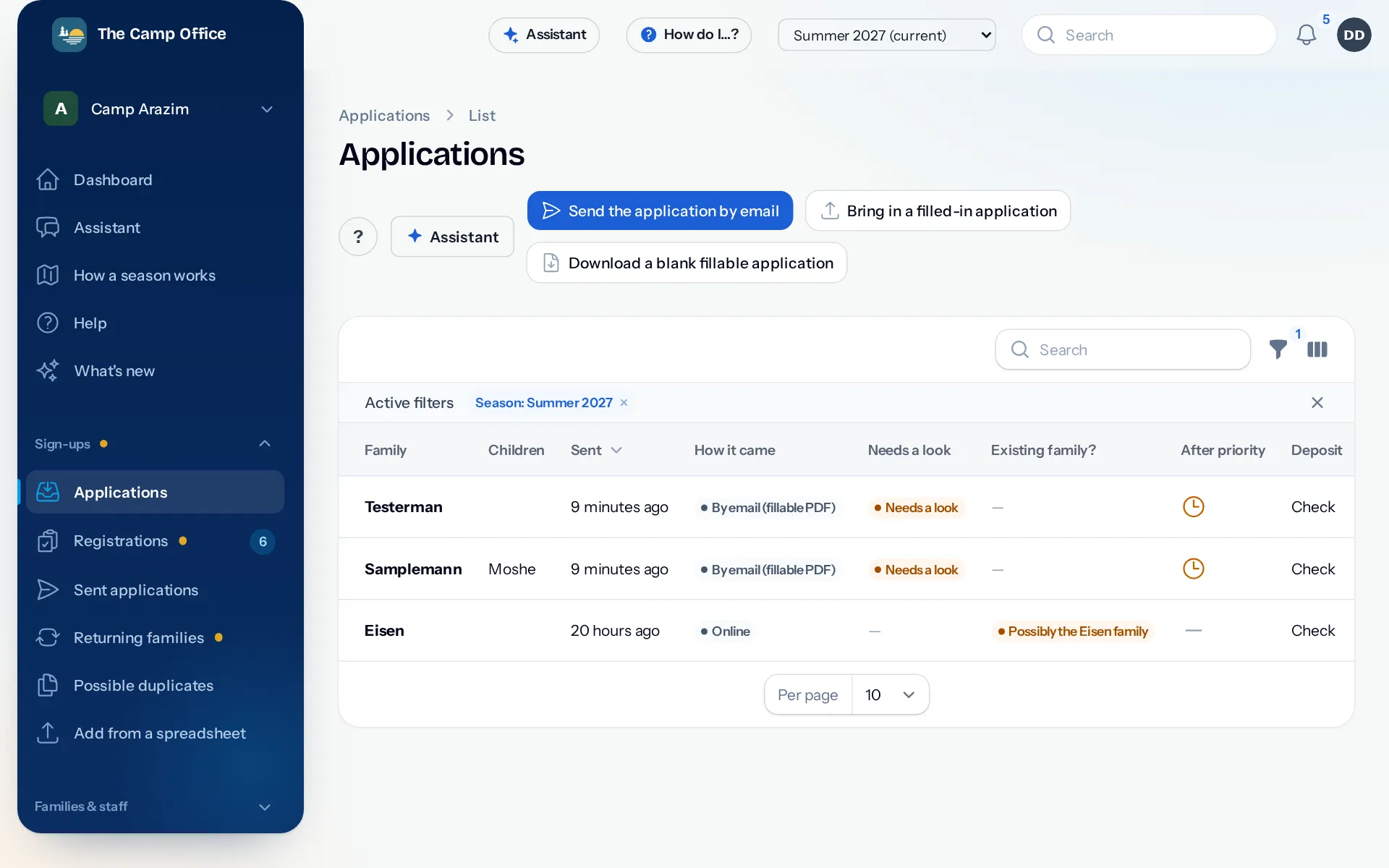
Every family gets its own link
Each family has a private page. They open it to apply, update phone numbers, upload forms, answer permission slips and see their invoices. New families start from your public apply page or your camp website.
- The application is four short steps with a progress bar, and answers are saved as parents go.
- Ask your own questions: shul, swim level, shirt size, anything you need.
- Families choose a full summer, a half or their own days, with add-ons like the bus or lunch, and see the price as they go.
- Ask for a deposit or a card when they apply, or leave payment for later. Your choice.
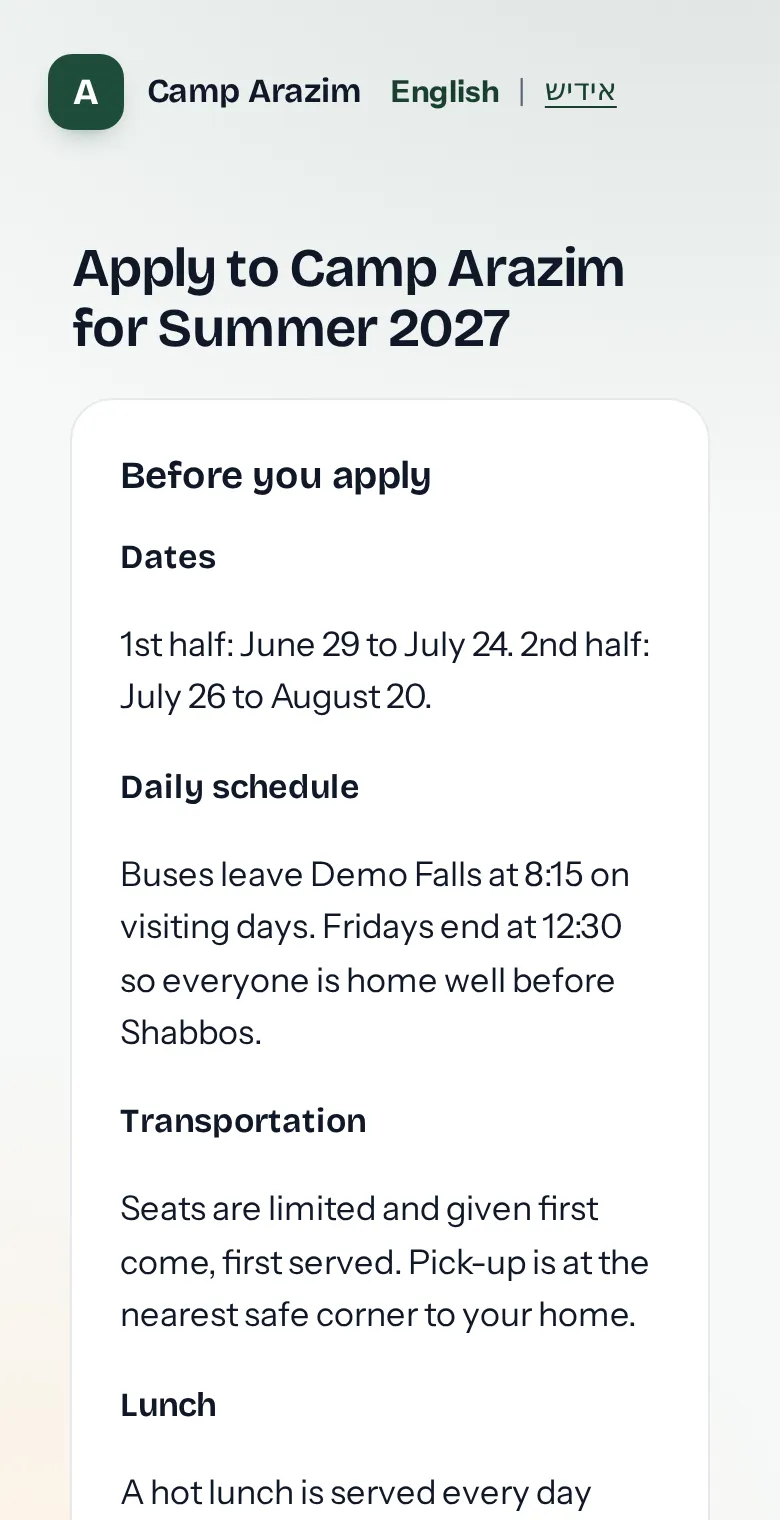
Accept, wait-list or decline in a few clicks
New applications wait in one list with everything the family sent: the children, the family, how they plan to pay and the signed waiver. Possible duplicates of a family already on file are flagged before you accept.
- Move campers from applied to accepted, wait-listed or enrolled.
- The letter to the family is prepared for you to read and approve before it goes.
- Invoices are made from the registrations, with the right price for each grade and term.
Paper and email applications still welcome
Some families don't browse the internet. Email them the application as a form they fill in on their computer and send back; it comes into Applications by itself. A printed form filled in by hand can be scanned and read in for you, marked so you check it before anything is saved.
- Print a blank paper registration form made from this season's grades, terms and permissions.
- Print or download every family's registration summary as a PDF.
Forms, permissions and documents, checked off per camper
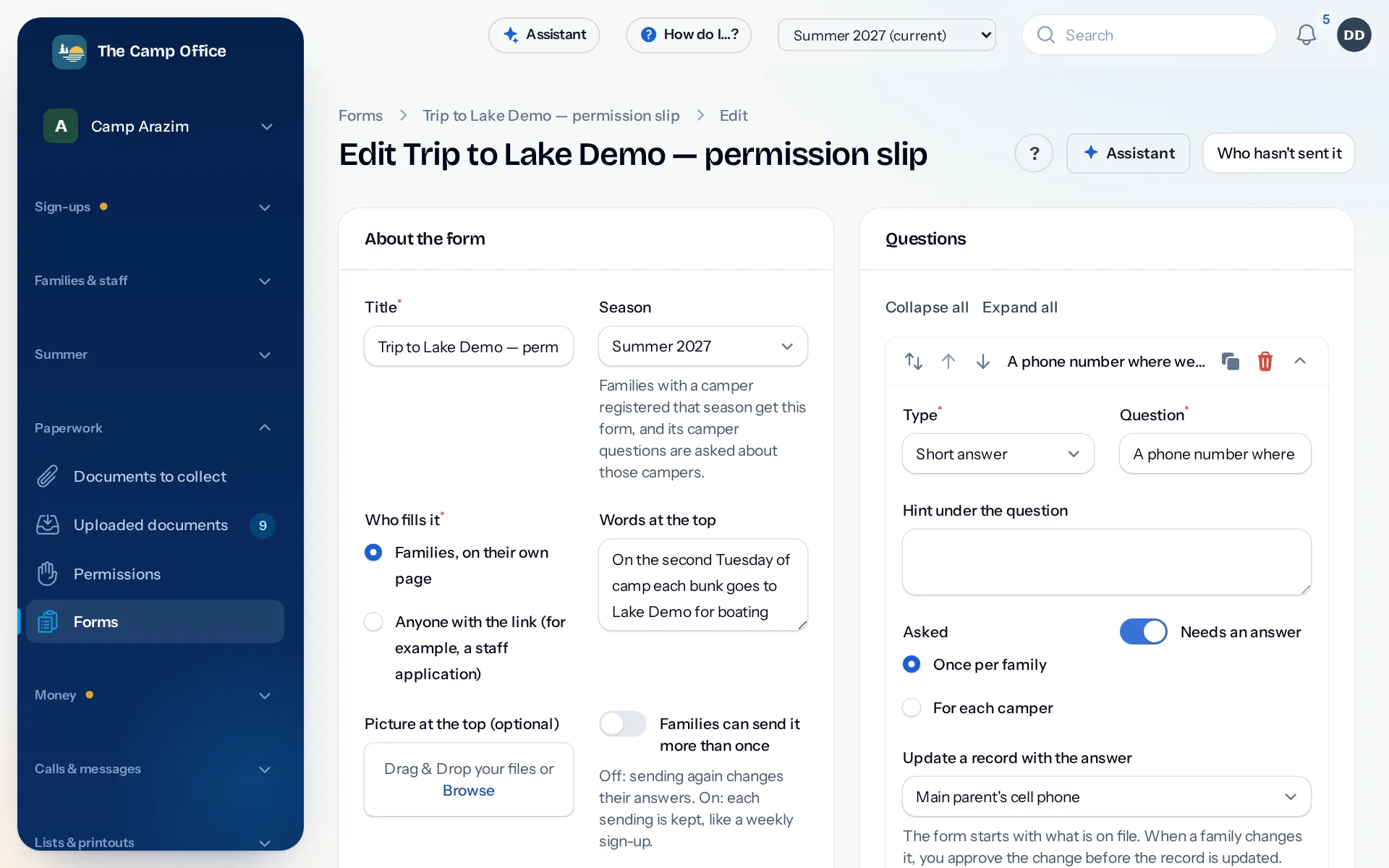
Ask for the medical form and the insurance card, collect permission slips with a typed name and the exact wording the parent saw, and build your own forms for trips, health updates or surveys. See who hasn't sent what, and remind only those families.
Last year's families, brought in and invited back
Bring in last year's list from a spreadsheet, and check every row before anything is saved. Then see which returning families haven't signed up yet, with a ready message for each that carries their own sign-up link.
Questions about registration
Do parents need to make an account?
No. Each family has its own private link from the office. New families start from your apply page.
Can we ask our own questions on the application?
Yes. Add your own questions for families, campers or registrations, and use the answers in lists, filters, printouts and messages.
What about families who don't use the internet?
Email them the application as a form they fill in on their computer, print a paper form, or enter their application from the office.
Can a family apply for several children at once?
Yes. One application covers all the children in the family, each with their own grade and session.
See it with your own camp in mind
Look around a sample camp with made-up families, or tell us about your camp and we'll show you how it would work for you.