
Know who owes what, every day
Card, bank, Zelle, checks and cash all land on the family's balance. Statements, receipts and your books follow, and nothing charges a card or writes to your books until you turn it on.
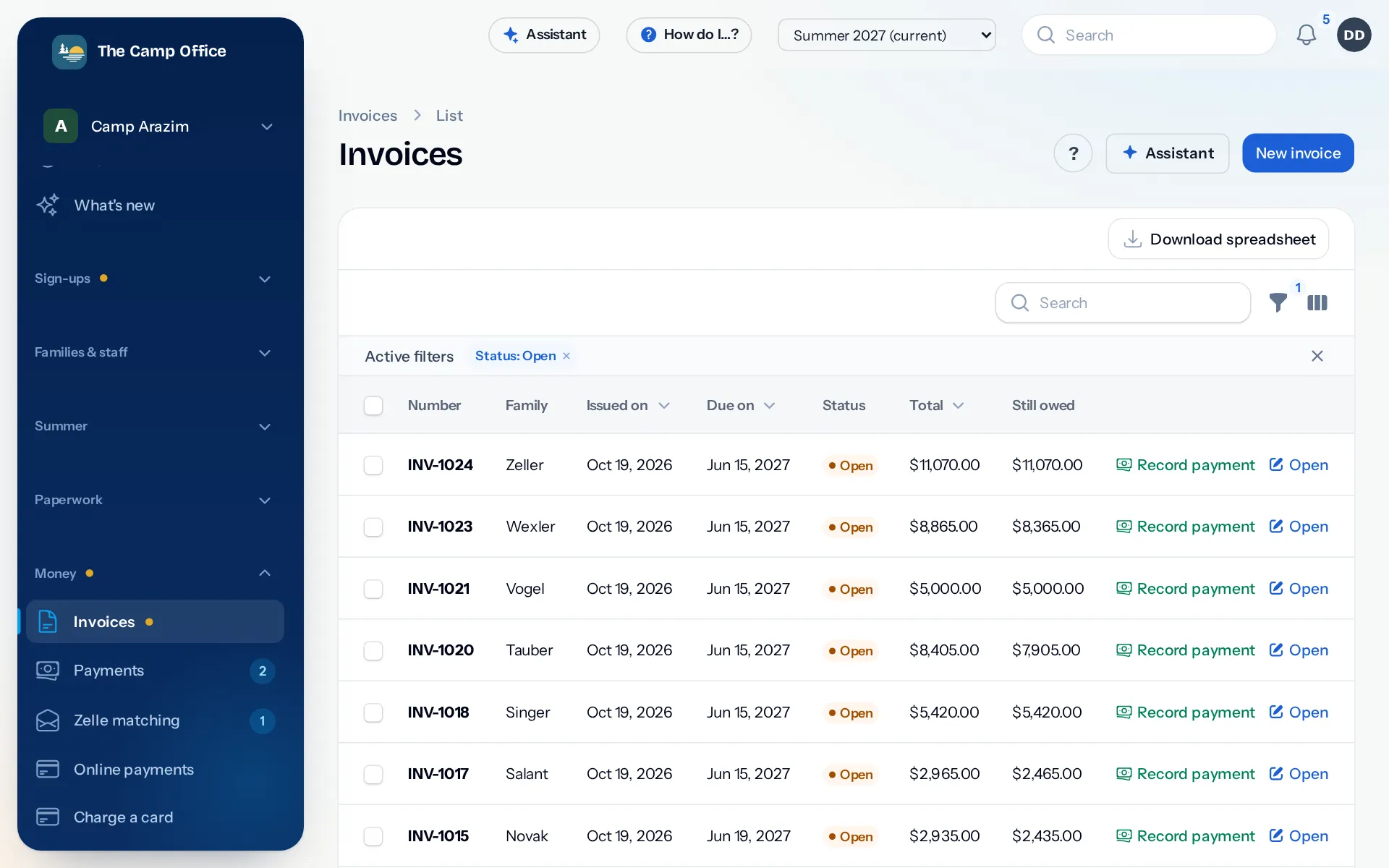
Invoices made from what families signed up for
Bill each family from their registrations: tuition by grade and term, add-ons, early bird and family discounts, and colony prices. Recalculate after a change and see the before and after first.
- Credits for a scholarship or a canceled week, kept apart from money received.
- Refunds, chargebacks and bounced checks written down with their reason.
- Gifts and pledges recorded separately from tuition, with a receipt that carries your tax ID.
Every way families pay, in one list
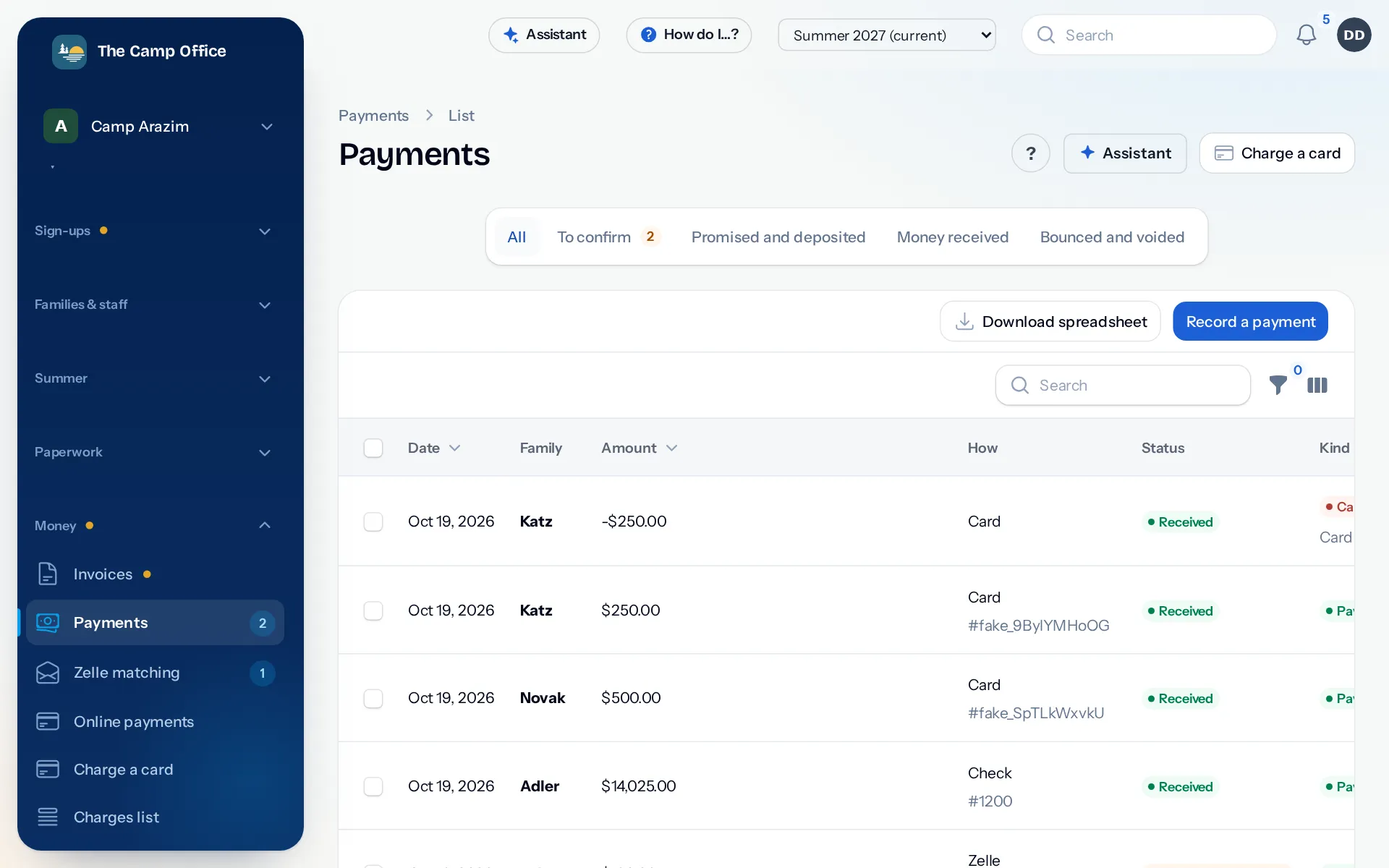
Families pay by card or bank account from their own page, in full or in scheduled payments, through your camp's own Sola Payments or Banquest account. Checks, post-dated checks, cash and wires are written down in seconds, and a photo of a check can fill in the details for you.
- Take a card payment while a parent is on the phone.
- Parents can call your phone line, hear their balance and pay with the card they saved.
- Every morning, card and bank payments are compared with what is written down, and anything that doesn't agree is listed.
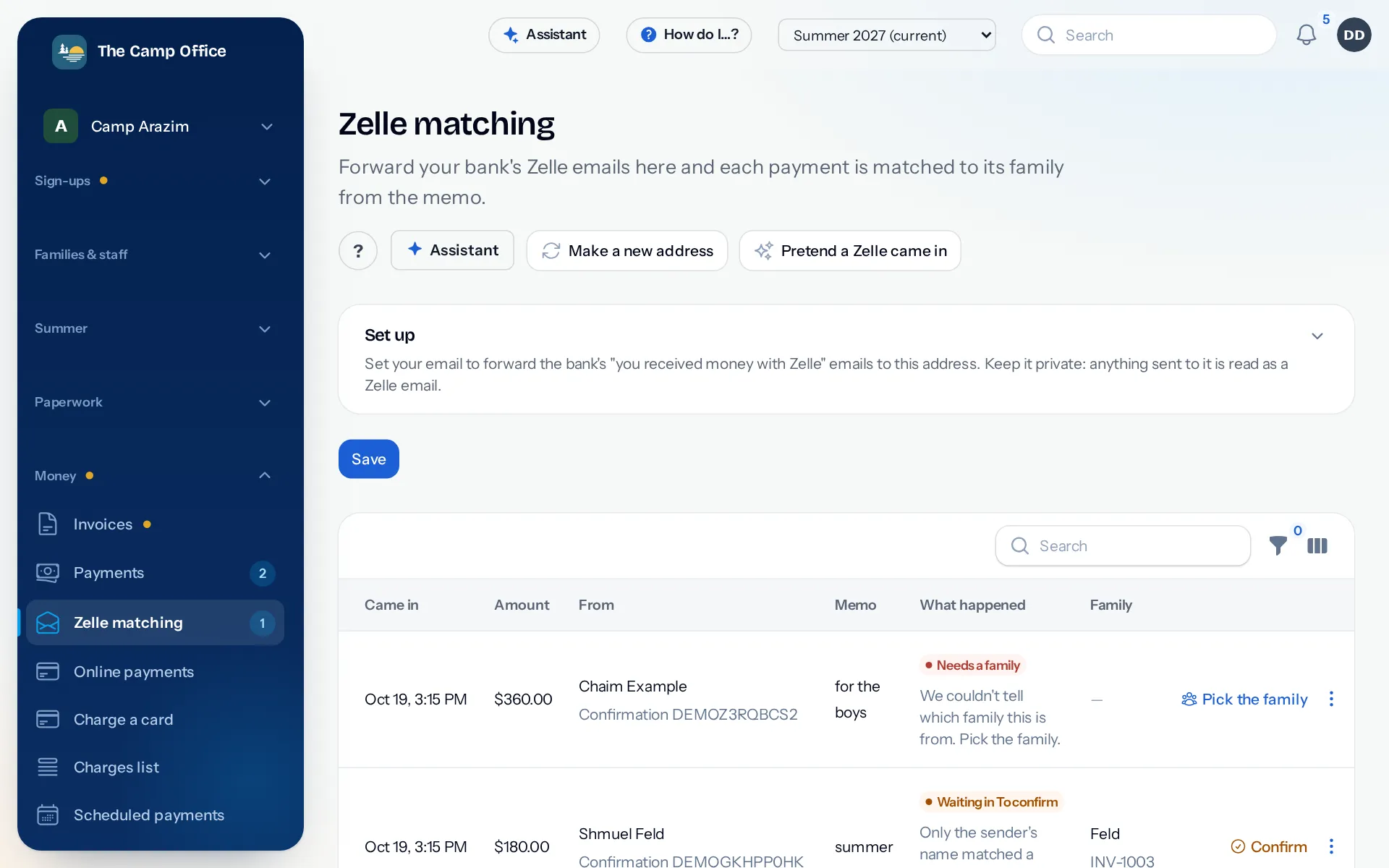
Zelle, matched to the right family
Forward your bank's Zelle emails to your camp's private address. Each Zelle is written down on the family named in the memo. When the match is only a guess, it waits for you to confirm or pick the family.
Your books stay in step
Families, invoices and payments go to QuickBooks Online, Xero or QuickBooks Desktop, so your bookkeeper isn't typing everything twice. Sending stays off until you turn it on, and starts in practice mode so you can see what it would write first. Or download a spreadsheet for your bookkeeper.
Budgets and expenses too
Plan what the season will cost, write down what the camp spends with a photo of the receipt, and see where you stand against the budget.
Questions about billing and payments
Does CampOffice ever charge a card by itself?
Only for a payment plan the family set up, on the dates they agreed to. Nothing else is charged without someone in the office pressing the button.
Can we pass the card fee to parents?
Yes, if you choose to. The fee is capped and never added to debit cards.
Do we have to use QuickBooks?
No. Accounting is optional. You can keep everything in CampOffice, or download spreadsheets for your bookkeeper.
Which payment processor do we need?
Card and bank payments go through your camp's own Sola Payments or Banquest account. Checks, cash and Zelle need no processor at all.
See it with your own camp in mind
Look around a sample camp with made-up families, or tell us about your camp and we'll show you how it would work for you.